
Get Involved
Shop at Kroger. We earn rewards.
Linking your Kroger account to Bay Area Meals on Wheels costs nothing and takes less than two minutes. Every grocery run becomes a donation.
Step by Step
How to enroll in the Kroger app
Prefer to use a computer?
Follow Kroger's own instructions (opens in new tab)- Open the Kroger app and tap the user icon
Open the Kroger app and log in if you need to. Then tap the round user icon in the top left corner to open the menu.

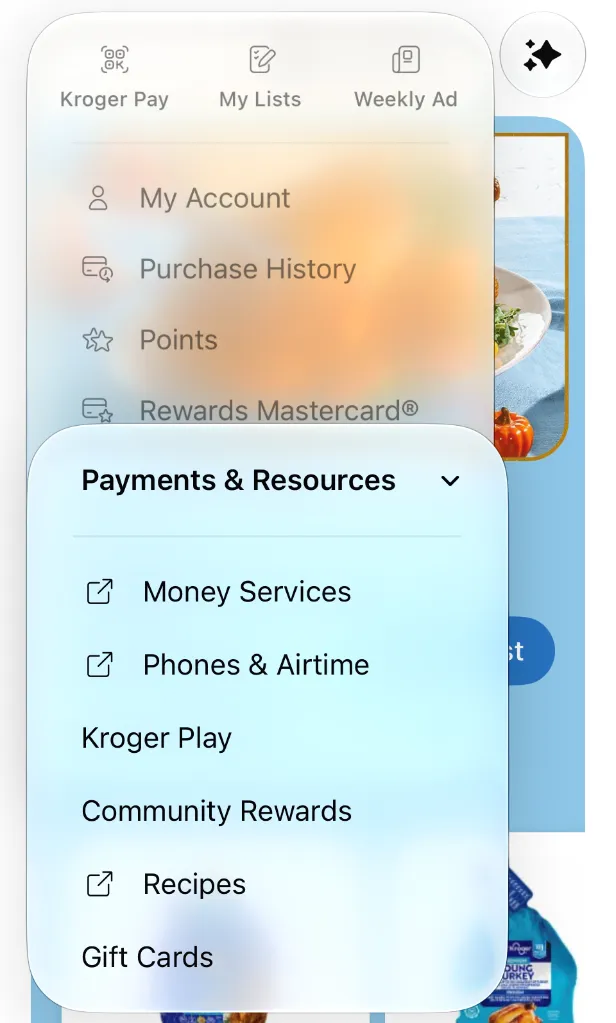
- Choose "Community Rewards"
Under "Payments & Resources", choose "Community Rewards".
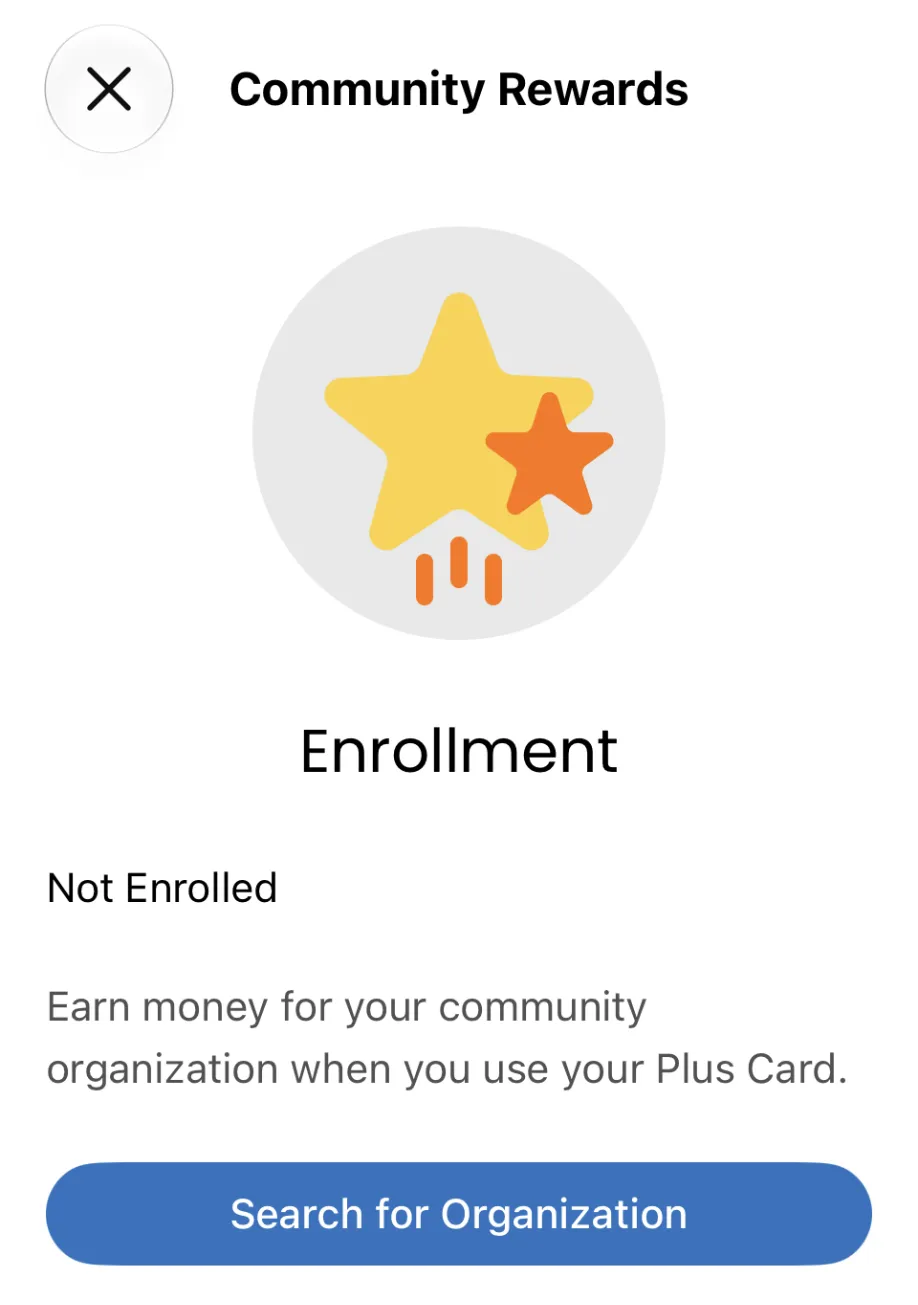
- Tap "Search for Organization"
The Community Rewards screen shows the organization you support, if you have one. Tap "Search for Organization".
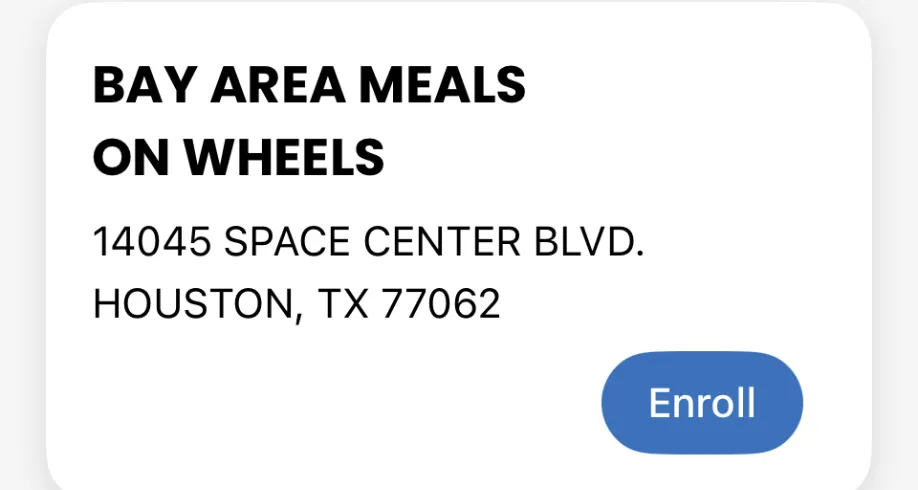
- Find Bay Area Meals on Wheels and tap "Enroll"
Search for Bay Area Meals on Wheels. When it appears, tap "Enroll" next to it.
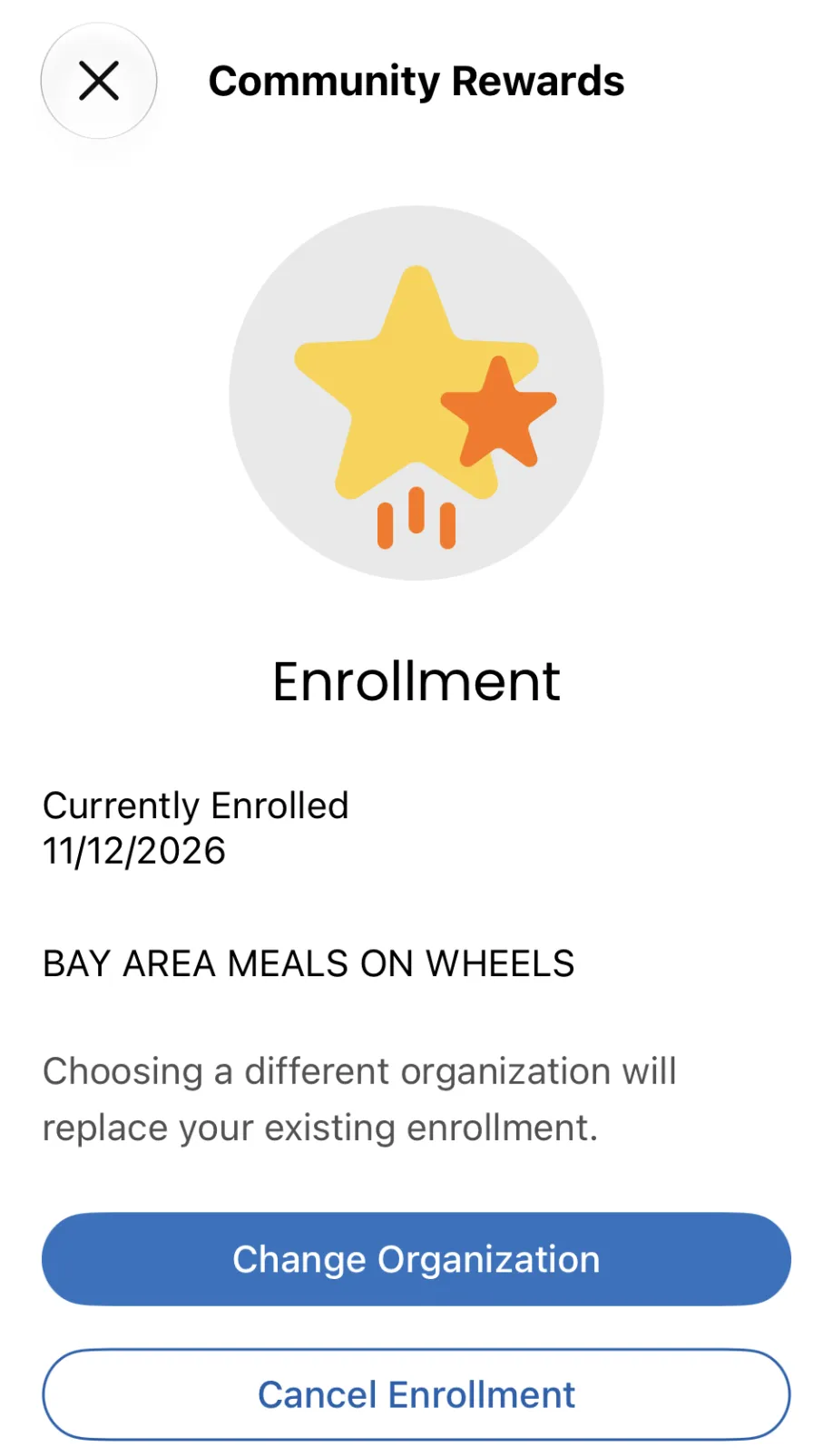
- Check that you're enrolled
You're taken back to the Community Rewards page. It shows "Currently Enrolled", the date and Bay Area Meals on Wheels.
- You're done — shop as usual with your Plus Card
A percentage of every eligible Kroger purchase now goes to Bay Area Meals on Wheels at no cost to you. Kroger resets the program each August — remember to re-enroll then to keep your support going.